ĀME resource hub
Capturing adoptions in ĀME (Adoptions Made Easy) ensures your rewards and incentives are tracked for payment. Get started here.
Why ĀME Matters
It's important partners set up records in ĀME (Adoptions Made Easy) as soon as possible. ĀME where adoptions are tracked for payments, and, where legal liability releases for required signatures are found.
Step by step
Getting Started
-
Set up an ĀME administrator account
Designate the user that will manage ĀME access for your organization.
-
Confirm all your stores are listed in ĀMEAccess ĀME
Log in and check every PetSmart store you process adoptions in is listed. Missing one? Have the Store Leader submit a ServiceNow request.
-
Identify and set up other ĀME usersAdmin Quick Reference Guide
Your administrator enters each user's info, which triggers an invite email so they can start processing adoptions.
-
Review ĀME trainingView training
Required if PetSmart Associates facilitate adoptions on your behalf.
-
Set up electronic payment for adoption fees
Required if PetSmart Associates facilitate adoptions on your behalf.
-
Choose your device(s)
Your organization will need to bring a device with access to cellular data. Smartphones or tablets are recommended. ĀME needs to locate your device in-store, and store Wifi will not always be available.
-
Bookmark the ĀME login pageBookmark ĀME login
Save it on every device your team will use to process in-store adoptions.
Training videos
Full ĀME training moduleTraining & video tutorials
Processing an Adoption on ĀME
Cancel an In-Progess Adoption on ĀME
Change Payment Method on ĀME
Return an Adopted Pet on ĀME
Payments
Electronic payments for adoption fees
Cash still works, but electronic payments save your organization the transaction fee and unlock checkout donations.
Partners save on fees
Adopters cover the transaction fee, often over 3%, so it doesn't come out of your adoption revenue.
Checkout donations
Over 10% of electronic payments include a donation — averaging $20 — to your organization.
Direct deposit
Funds go straight to your bank account: quicker, and more secure with fewer intermediaries.
Built-in reconciliation
Payout reconciliation reports match what lands in your account to the transactions behind it.
Set up via ACH
Direct bank transfer
Set up via Stripe
Card processing, ~$5.30 + 3% covered by the adopter
Āme quick user guides
ĀME General Overview
What ĀME is, why every in-store adoption has to be recorded in it.
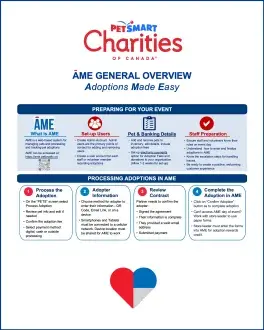
ĀME Admin Guide
For the person who owns your ĀME account. How to invite users, assign admin or staff roles.
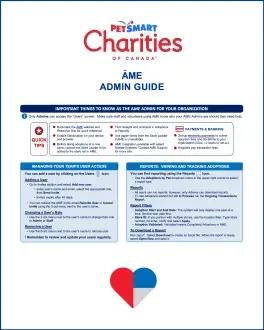
ĀME Portal – User Navigation
The guide to hand new staff and volunteers. A screen-by-screen tour of the portal so anyone on your team can find their way around before their first event.
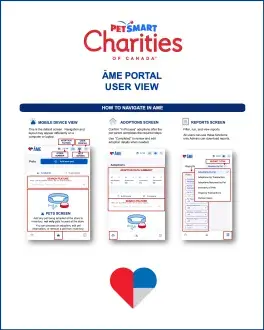
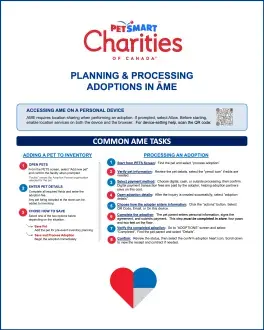
Planning & Processing Adoptions in ĀME
Your event-day reference guide.
Still stuck on something?
The FAQ page covers setup, processing, and device questions. For anything else, PetLoyalty support is one email away.